TIA Portal Development
Inside VS Code
Explore, edit SCL/STL, compile, version control, and use AI on your Siemens TIA Portal projects - without ever leaving your editor. Works with VS Code, Cursor, and Windsurf.
Free to install from the VS Code Marketplace. Requires a T-IA Connect license.
Why Leave TIA Portal?
TIA Portal is powerful, but its development environment has limits
Closed Ecosystem
TIA Portal's editor has no extensions, no themes, no customization. You're locked into a single workflow with limited productivity tools.
No Native AI Integration
Native TIA Portal assistants are useful, but many teams also want Claude, GPT, local models, REST API workflows, MCP clients and source-control-friendly engineering outside the TIA Portal UI.
Version Control is Manual
TIA Portal has no built-in Git support. Teams rely on zipped project archives, file shares, or manual exports to track changes.
Slow Feedback Loop
Switching between TIA Portal, a text editor, a Git client, and an AI chat window breaks your flow and wastes time.
How It Works
The extension communicates with TIA Portal through the T-IA Connect server, which wraps the Siemens Openness API. Your code editor sends REST requests to the local server, which translates them into TIA Portal operations. No direct TIA Portal dependency in VS Code.
VS Code / Cursor
Extension + UI
T-IA Connect Server
REST API + Openness
TIA Portal V17-V21
Your PLC Projects
Everything You Need
12 integrated tools to develop TIA Portal projects from your favorite editor
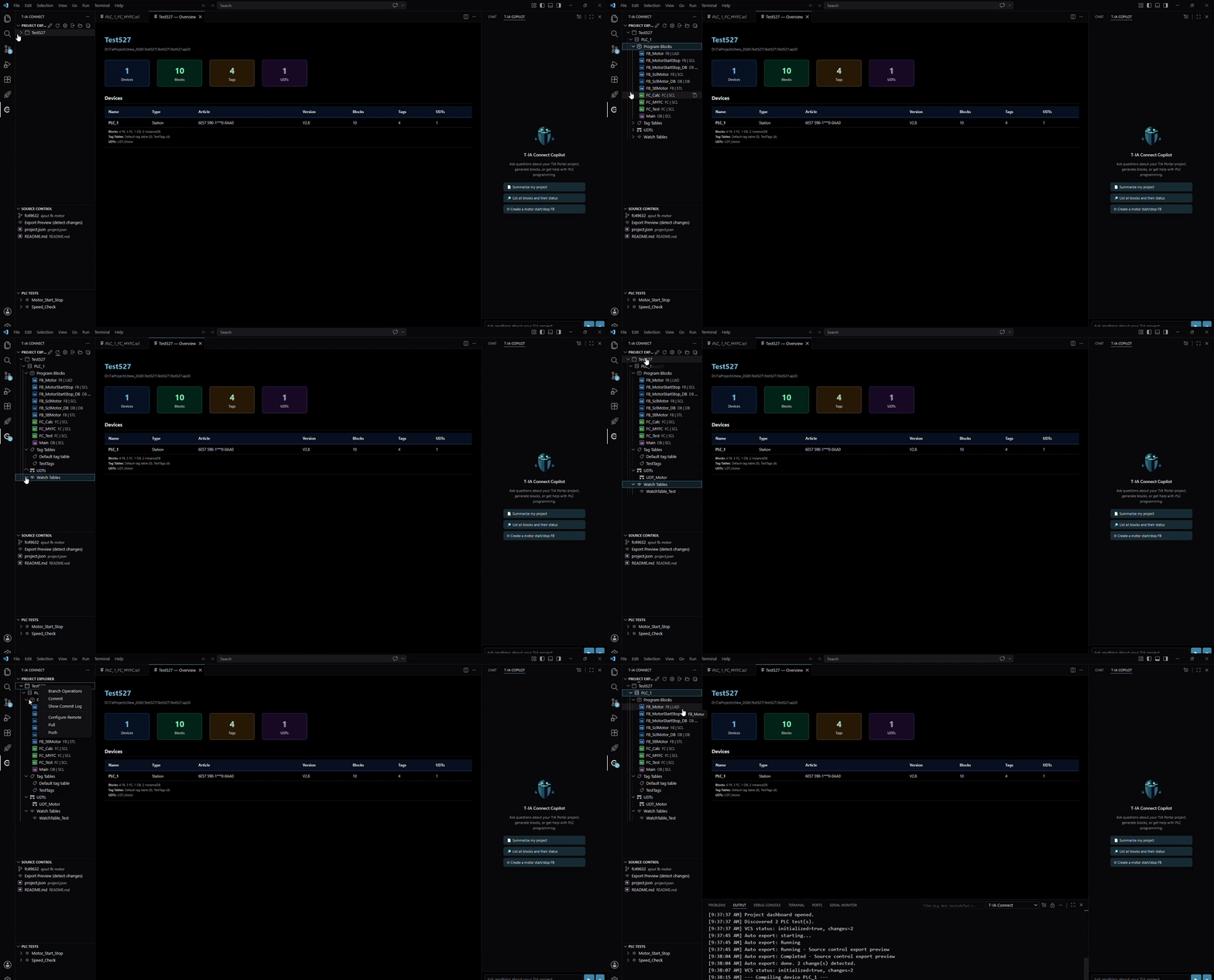
Project Explorer
Browse your entire TIA Portal project tree with color-coded icons for OBs, FBs, FCs, and DBs. Device tree, block folders, and status indicators at a glance.
SCL / STL Editing
Full language support: syntax highlighting, autocompletion, signature help, hover documentation, go-to-definition, rename symbol, and 15 code snippets.
LAD / FBD / GRAPH Viewer
Read-only SVG rendering of graphical blocks. View contacts, coils, box instructions, and parallel branches directly in VS Code.
Block Creation
Create FBs, FCs, OBs, and DBs in SCL, STL, LAD, FBD, or GRAPH. Code templates are injected automatically for text-based languages.
Compilation
Compile a single block or an entire device with Ctrl+Shift+B. Errors and warnings appear as VS Code diagnostics with exact line numbers.
Export / Import
Tags (CSV, XLSX, XML), UDTs, watch tables, HMI screens, and hardware config (AML). One-click Export All for tags + UDTs + watch tables.
Source Control (VCS)
Git-based version management with smart XML diffing, dependency sorting, orphan cleanup, branch operations, commit log, and auto-export.
AI Integration
@tia chat participant for GitHub Copilot, a dedicated AI sidebar with multi-provider support, and MCP server with 100+ tools.
MCP Server
Auto-generates .vscode/mcp.json with 100+ tools. Compatible with Claude Desktop, Claude Code, Cursor, and Windsurf for AI-driven automation.
PLC Tests
Run individual tests or full suites against PLCSim Advanced. Detailed results with pass/fail badges, assertion details, and execution times.
Cross-References
View all references for any block across SCL, STL, LAD, FBD, and GRAPH. Source/target badges with read/write indicators.
CI/CD Pipelines
Define, run, and monitor automation pipelines. Create from templates, view execution history, and integrate with your DevOps workflow.
Three Ways to Use AI
T-IA Connect gives you three independent AI integration paths. Use one, two, or all three depending on your workflow and preferences.
@tia in Copilot Chat
Type @tia in GitHub Copilot Chat to access 30 language model tools. Ask questions about your project, generate blocks, analyze cross-references - all conversationally.
T-IA Connect Copilot
A dedicated AI sidebar independent of GitHub Copilot. Bring your own API key for OpenAI, Anthropic, Google, Mistral, or use a local model via Ollama.
MCP Server (100+ Tools)
The full T-IA Connect API exposed as MCP tools. Use with Claude Code, Cursor Agent, or any MCP-compatible client for autonomous PLC programming.
Works Where You Work
Compatible with the most popular code editors and TIA Portal V17 through V21
Editors
VS Code 1.85+, Cursor, and Windsurf. Any editor that supports VS Code extensions.
TIA Portal
Siemens TIA Portal V17, V18, V19, V20, and V21. Requires the Openness API (included in Professional edition).
Platform
Windows (required for TIA Portal). The T-IA Connect server runs locally on your engineering workstation.
Quick Start in 6 Steps
From zero to editing PLC code in VS Code
Install the Extension
Search "T-IA Connect" in the VS Code Marketplace, or install from the web. It takes seconds.
Install T-IA Connect Desktop
Download and install the T-IA Connect application. It includes the server that bridges VS Code and TIA Portal.
Sign In
Click "Sign In" in the extension. Your browser opens, you log in, and the token is stored securely in your OS keyring.
Start the Server
Launch T-IA Connect server from VS Code (headless or GUI mode). The API key is fetched automatically.
Open a TIA Portal Project
Open TIA Portal and load your project. T-IA Connect detects it and populates the Project Explorer.
Start Coding
Click any block to open it in the editor. Edit SCL/STL, compile with Ctrl+Shift+B, and auto-reimport on save.